Need more? The full version adds what is listed under "What you get".
What you get: a 12-week outreach log (sends, accepted, replies, meetings each week; your real rates and cost per meeting so far, weeks that sent more than your own weekly limit turn red), a seat comparison of 6…
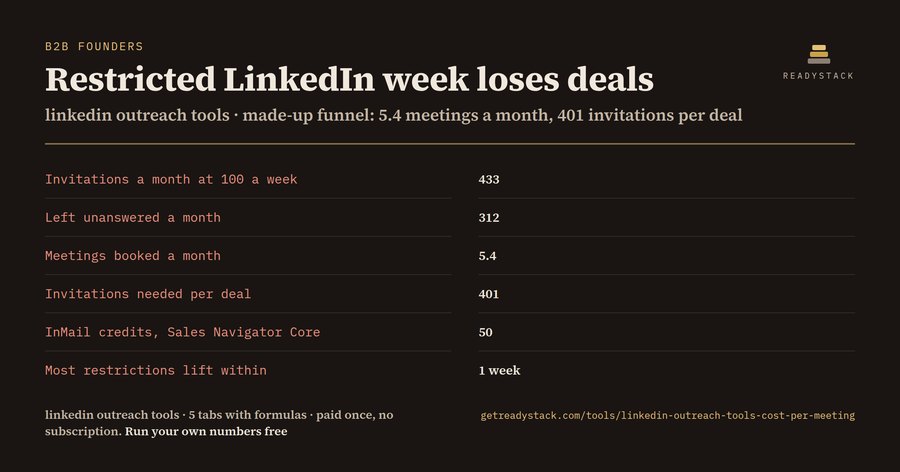
Example (made-up, exactly as in the file): 100 invitations a week through a $99 tool plus $119.99 Sales Navigator Core books 5.4 meetings a month at $40.55 each, and one week of restricted invitations loses $798.23 (a week of deals plus a week of fees) - the loss LinkedIn warns about when it suspects an automation tool.
Outreach tools sell volume ("unlimited invites", "75 connection requests a day"); LinkedIn publishes no weekly number, says exceeding its limits or using prohibited tools can restrict your account, and you cannot buy more invitations. This prices your own funnel against that rule before you pay for a seat. Type last week's numbers from LinkedIn (My Network > Manage > Sent) below; the answer updates as you type.
Your numbers
Your outreach, priced
Invitations a month (weekly x 52 / 12)
433
Accepted a month
121
Left unanswered a month (withdraw; no resend for up to 3 weeks)
312
Replies a month
18
Meetings booked a month
5.4
Deals a month
1.08
Revenue from those deals a month ($)
$3,240.00
Tool seat + Sales Navigator a month ($)
$218.99
Cost per booked meeting ($)
$40.55
Cost per InMail credit (Sales Navigator Core: 50 a month)
$2.40
Loss of one restricted week (a week of revenue + a week of fees, $)
Everything updates as you type. Nothing is uploaded. This runs in your browser.
Why more invitations is not more meetings
What you lose: LinkedIn limits invitations for every member and does not publish the number. Its Help Center says: "If you exceed these limits or use prohibited tools, your account may be restricted", and "Most restrictions will automatically be removed within one week." In the made-up example one restricted week loses $798.23: ($3,240.00 of deals + $218.99 of seats) × 12 / 52.
The rules a tool's pricing page leaves out: "You can't buy or acquire more invitations" (LinkedIn Help a551012). After you withdraw an invitation you cannot resend to the same person for up to three weeks. A free account can add a personal note to up to three connection requests a month, 200 characters each (a563153). User Agreement 8.2 bans "bots or other unauthorized automated methods to ... add or download contacts, send or redirect messages". Sales Navigator Core lists US$119.99 a month with 50 InMail credits, so one credit costs $2.40.
What the seats cost: pricing pages read 13 November 2026: Expandi $99 a month ("Send up to 300+ connection requests weekly"), Dripify Pro $79 ("up to 75 connection requests ... a day"), HeyReach Growth $79 per sender, lemlist Multichannel $109, PROSP Starter $79.99 per account every 4 weeks ("Unlimited invites"). At the example funnel Dripify or HeyReach plus Sales Navigator is $36.85 per meeting and Expandi $40.55; the volume each page promises does not change the meetings your weekly ceiling allows.
No risk: the answer above is free and complete for your own funnel, no sign-up, nothing sent to LinkedIn. The full version is a file you own: paid once, no subscription.
Next step: Keep the weekly invitations at a number LinkedIn has not warned you about, withdraw invitations that stay unanswered (LinkedIn blocks a resend to the same person for up to three weeks), and log each week's sends and replies so the real rates replace your guesses before you renew a seat.
Example values are made up. Prices are what each page showed on the date above and change; overwrite them with yours.
Get the full calculatorFull version: all tabs, your own file, works offline.
Sent. Check your inbox.
Enter your email above and we will unlock the download.
Get the full version $39
The .xlsx you keep: a 12-week outreach log (sends, accepted, replies, meetings each week; your real rates and cost per meeting so far, weeks that sent more than your own weekly limit turn red), a seat comparison of 6 outreach tools at your funnel with prices read 13 November 2026, a LinkedIn rules s
One payment, one licence key for this tool. The key is shown right after payment.
LinkedIn outreach tool seats, pricing pages read 13 November 2026: Expandi Business $99 a month, Dripify Pro $79 a month, HeyReach Growth $79 a month per sender, lemlist Multichannel $109 a month, PROSP Starter $79.99 per account
For businesses: your name and logo instead of ours, and each visitor’s result + e-mail in your inbox (only when they tick consent) — Pro from $19/month. See Pro →
Same job, next tool
Free in the browser. The full version is a one-time licence.
A copy of what you see above, in your inbox — the tool stays free, nothing here is locked.
Questions and answers
What does this page do?
linkedin outreach tools priced against your own funnel: meetings a month, cost per booked meeting, and the loss of one restricted LinkedIn week.
Is it free?
Yes. The free version on this page works without an account. The full version ($39) adds: a 12-week outreach log (sends, accepted, replies, meetings each week; your real rates and cost per meeting so far, weeks that sent more than your own weekly limit turn red), a seat comparison of 6…
How do I use it?
1. Enter your details in the free version below. 2. See your result right away on this page. 3. Need more? The full version adds what is listed under "What you get".
Ask about this tool
One question, answered by the person who built it. Your email only if you want the answer sent.
For a team or company: for an invoice with your company details, a quote or several licences, write to [email protected].
 LinkedIn outreach tools — a prospect queue with AI notes, follow-up dates and reminders. You click send.
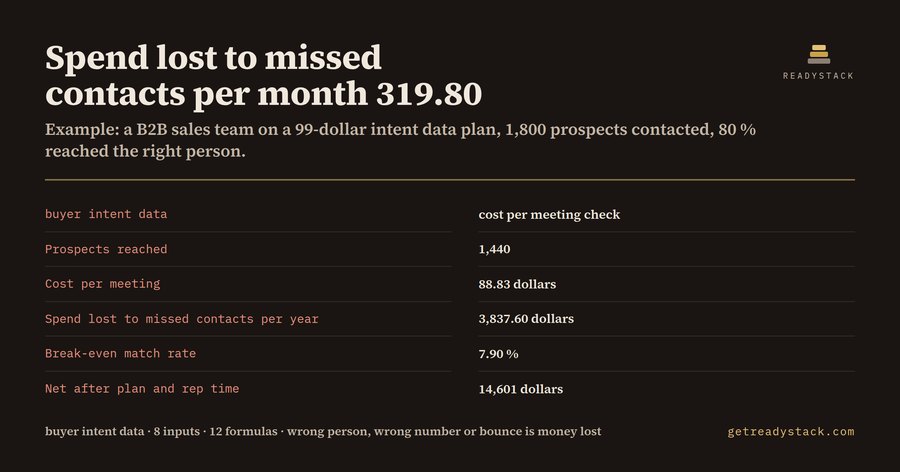 buyer intent data | cost per meeting, wasted spend, payback
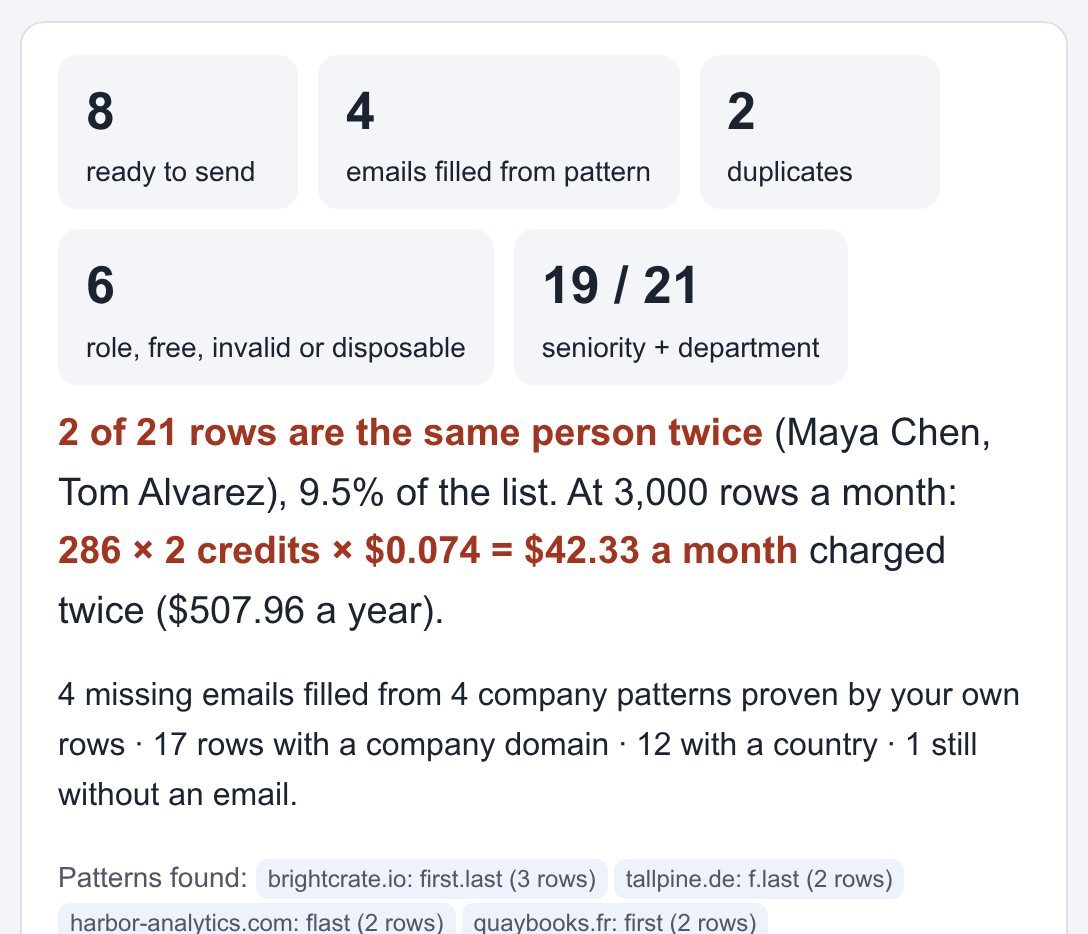 lead enrichment tools: clean and fill your lead CSV before you pay for a single credit
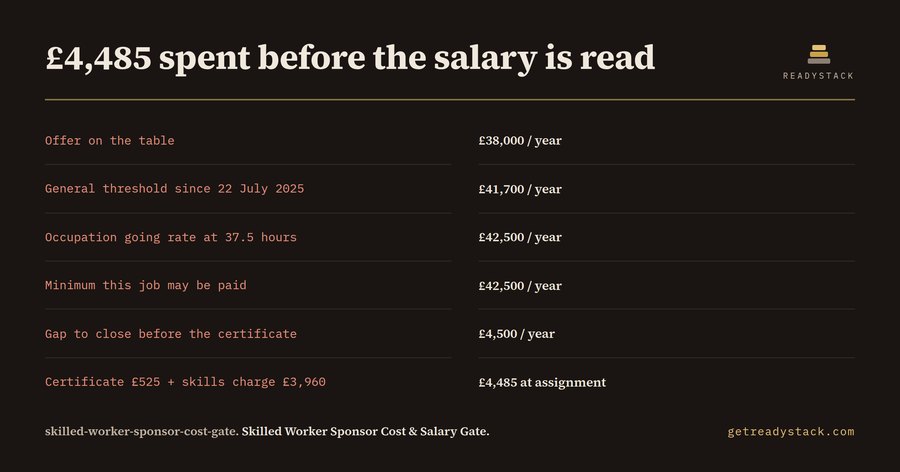 Can you sponsor this offer, and what does the certificate cost?
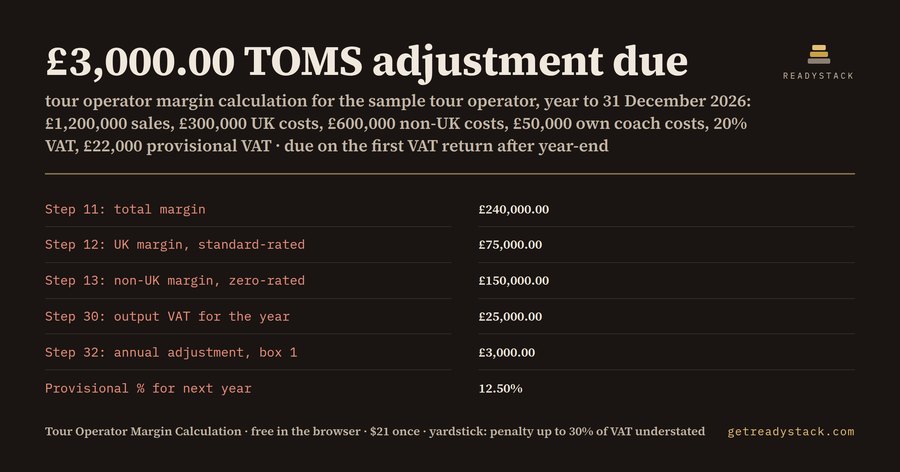 Tour Operator Margin Calculation 2026 (UK TOMS year-end)
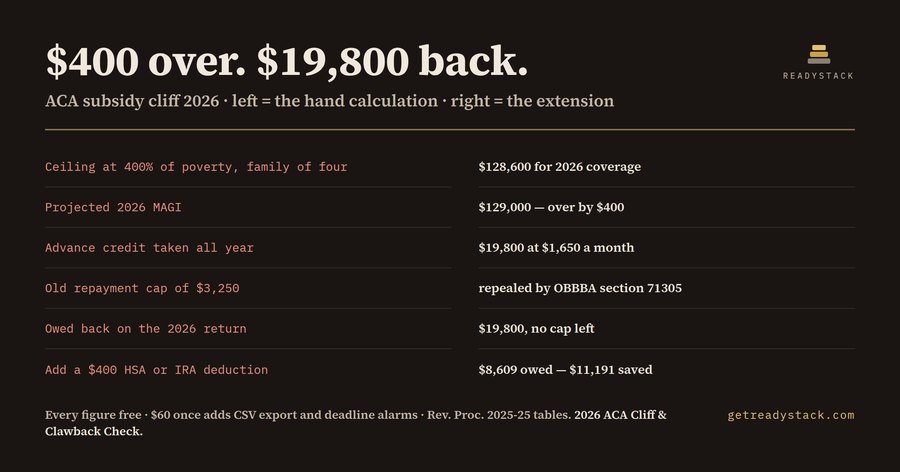 2026 ACA subsidy cliff and APTC repayment
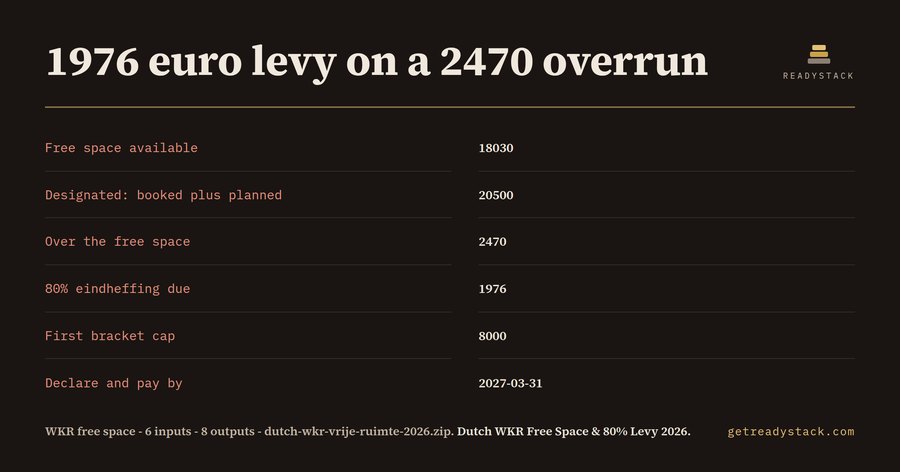 Price your 2026 WKR overrun before 31 December
 France packaging EPR 2026 - what one year of packaging costs you, and what being unregistered costs you