Updated:
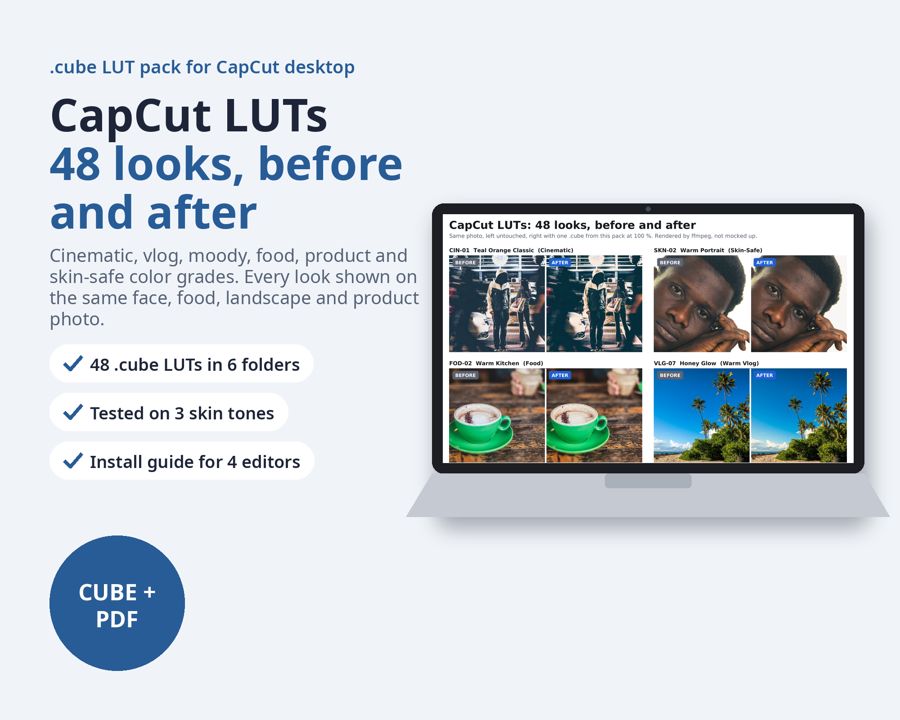
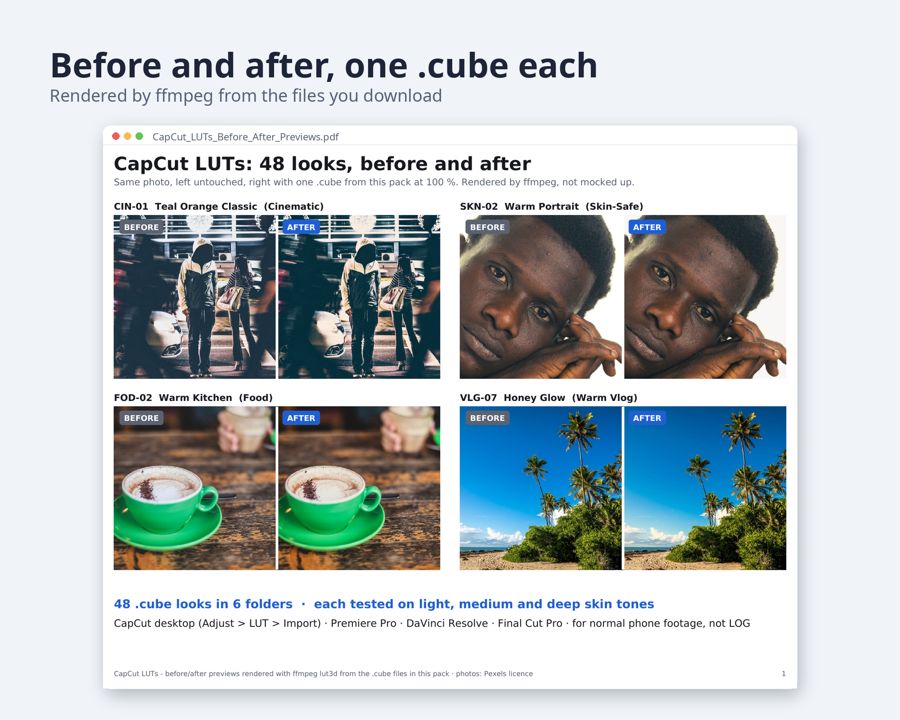
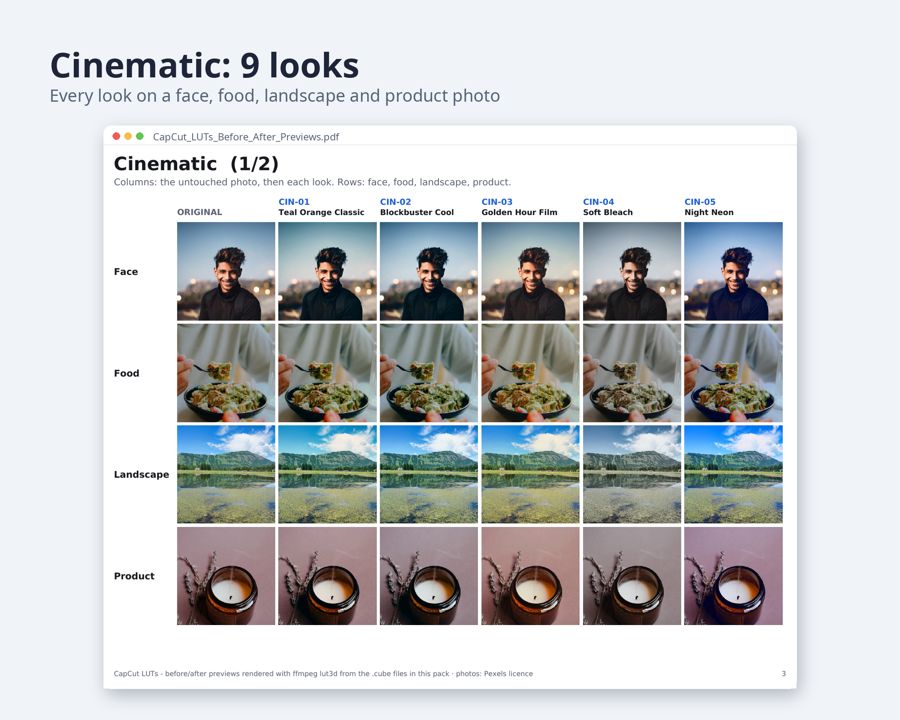
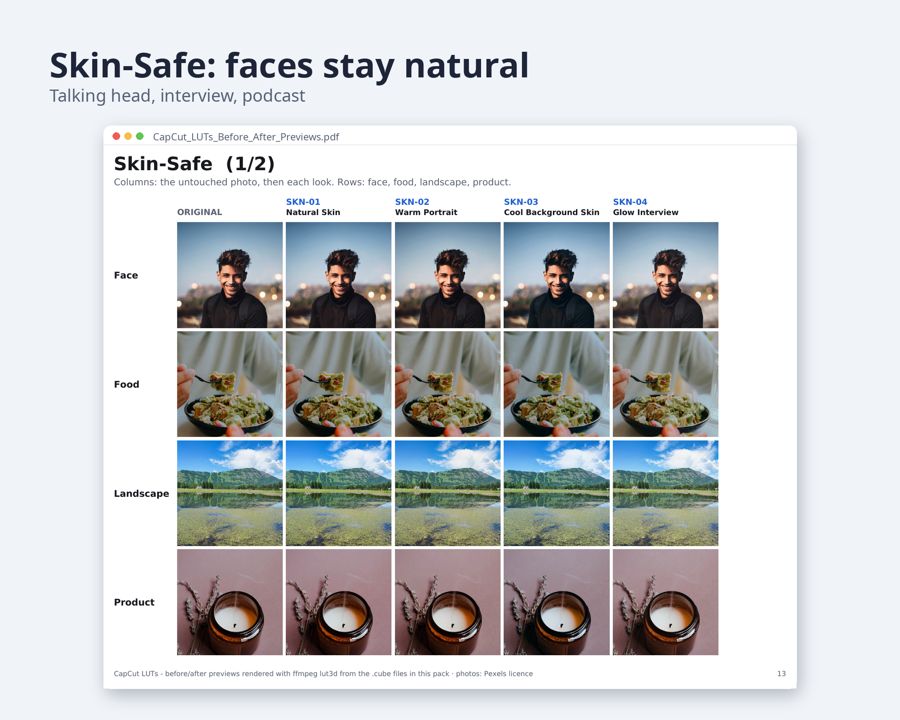
Example inside: the same face, coffee, landscape and product photo shown before and after each of the 48 looks. CIN-01 Teal Orange Classic gives a street shot teal shadows and warm highlights; SKN-02 Warm Portrait warms the scene while a deep skin tone keeps its own color. What a careless LUT costs you: 4 of our 52 test looks were dropped because they clipped or crushed the image (one pushed 76.9 % of skin pixels on a portrait into clipping). Those 4 are not in the pack.
Preview
What's inside
- CIN_01_Teal_Orange_Classic.cube
- CIN_02_Blockbuster_Cool.cube
- CIN_03_Golden_Hour_Film.cube
- CIN_04_Soft_Bleach.cube
- CIN_05_Night_Neon.cube
- CIN_06_Desert_Epic.cube
- CIN_07_Emerald_Drama.cube
- CIN_08_Indie_Matte.cube
- CIN_09_Anamorphic_Blue.cube
- FOD_01_Fresh_Plate.cube
- FOD_02_Warm_Kitchen.cube
- FOD_03_Bakery_Cream.cube
- FOD_04_Dark_Table.cube
- FOD_05_Coffee_Brown.cube
- FOD_06_Green_Market.cube
- FOD_07_Sweet_Pastel.cube
- MDY_01_Moody_Forest.cube
- MDY_02_Rainy_City.cube
- MDY_03_Dark_Academia.cube
- MDY_04_Faded_Memory.cube
- MDY_05_Blue_Hour.cube
- MDY_06_Mono_Contrast.cube
- MDY_07_Mono_Warm_Print.cube
- MDY_08_Low_Key_Teal.cube
- PRD_01_Clean_White_Studio.cube
- PRD_02_True_Color_Punch.cube
- PRD_03_Luxury_Gold.cube
- PRD_04_Tech_Cool.cube
- PRD_05_Soft_Beauty.cube
- PRD_06_Matte_Minimal.cube
- PRD_07_Bold_Shadow.cube
- PRD_08_Natural_Daylight.cube
- README.txt
- SKN_01_Natural_Skin.cube
- SKN_02_Warm_Portrait.cube
- SKN_03_Cool_Background_Skin.cube
- SKN_04_Glow_Interview.cube
- SKN_05_Deep_Tone_Friendly.cube
- SKN_06_Podcast_Studio.cube
- SKN_07_Soft_Film_Portrait.cube
- SKN_08_GRWM_Bright.cube
- Test_Report.csv
- VLG_01_Sunny_Day_Vlog.cube
- VLG_02_Cozy_Cafe.cube
- VLG_03_Travel_Bright.cube
- VLG_04_Peach_Daylight.cube
- VLG_05_Weekend_Film.cube
- VLG_06_Beach_Pastel.cube
- VLG_07_Honey_Glow.cube
- VLG_08_Clean_Creator.cube
- CIN-01_Teal_Orange_Classic.jpg
- CIN-02_Blockbuster_Cool.jpg
- CIN-03_Golden_Hour_Film.jpg
- CIN-04_Soft_Bleach.jpg
- CIN-05_Night_Neon.jpg
- CIN-06_Desert_Epic.jpg
- CIN-07_Emerald_Drama.jpg
- CIN-08_Indie_Matte.jpg
- CIN-09_Anamorphic_Blue.jpg
- FOD-01_Fresh_Plate.jpg
- FOD-02_Warm_Kitchen.jpg
- FOD-03_Bakery_Cream.jpg
- FOD-04_Dark_Table.jpg
- FOD-05_Coffee_Brown.jpg
- FOD-06_Green_Market.jpg
- FOD-07_Sweet_Pastel.jpg
- MDY-01_Moody_Forest.jpg
- MDY-02_Rainy_City.jpg
- MDY-03_Dark_Academia.jpg
- MDY-04_Faded_Memory.jpg
- MDY-05_Blue_Hour.jpg
- MDY-06_Mono_Contrast.jpg
- MDY-07_Mono_Warm_Print.jpg
- MDY-08_Low_Key_Teal.jpg
- PRD-01_Clean_White_Studio.jpg
- PRD-02_True_Color_Punch.jpg
- PRD-03_Luxury_Gold.jpg
- PRD-04_Tech_Cool.jpg
- PRD-05_Soft_Beauty.jpg
- PRD-06_Matte_Minimal.jpg
- PRD-07_Bold_Shadow.jpg
- PRD-08_Natural_Daylight.jpg
- SKN-01_Natural_Skin.jpg
- SKN-02_Warm_Portrait.jpg
- SKN-03_Cool_Background_Skin.jpg
- SKN-04_Glow_Interview.jpg
- SKN-05_Deep_Tone_Friendly.jpg
- SKN-06_Podcast_Studio.jpg
- SKN-07_Soft_Film_Portrait.jpg
- SKN-08_GRWM_Bright.jpg
- VLG-01_Sunny_Day_Vlog.jpg
- VLG-02_Cozy_Cafe.jpg
- VLG-03_Travel_Bright.jpg
- VLG-04_Peach_Daylight.jpg
- VLG-05_Weekend_Film.jpg
- VLG-06_Beach_Pastel.jpg
- VLG-07_Honey_Glow.jpg
- VLG-08_Clean_Creator.jpg
- CapCut_LUTs_Before_After_Previews.pdf
- CapCut_LUTs_Install_Guide.pdf
Who it is for
- Reels, TikTok and YouTube creators who edit in CapCut desktop
- Vloggers who want one consistent look on every clip
- Food, cafe and small product sellers filming their own videos
- Podcast and interview channels (Skin-Safe folder)
What you get
- 48 .cube LUTs (33-point) in 6 folders: Cinematic 9, Warm Vlog 8, Moody 8, Food 7, Product 8, Skin-Safe 8
- 14-page PDF with every look on a face, food, landscape and product photo
- Install guide PDF and a test report (CSV) with the numbers for every look
Why this pack
- Many LUT listings only show a count. Here every look has its own before/after, rendered from the exact .cube file you download.
- Skin was tested on light, medium and deep skin tones: skin hue stays in the natural range, skin saturation stays within 0.6-1.35x, and no look adds more than 2 % clipped skin pixels.
- The guide says plainly what works: LUT import is a CapCut desktop feature, and the looks are made for normal phone footage, not LOG.
Format
.cube, PDF, JPG and CSV files (in ZIP). CapCut desktop (Windows / Mac), Premiere Pro, DaVinci Resolve, Final Cut Pro.
How to use
- Unzip, then in CapCut desktop: Adjust > LUT > Import.
- Pick a look and set Intensity to 60-80 %.
- Use the same look on every clip of the video.
48 .cube LUT files for video color grading: CapCut desktop, Premiere Pro, DaVinci Resolve, Final Cut Pro. Made for normal phone footage, not LOG.
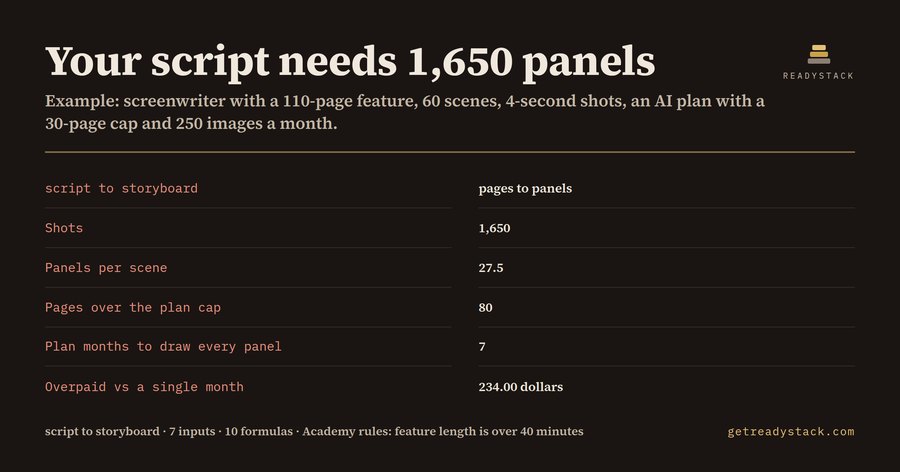 script to storyboard: shots, panels, page caps and plan months
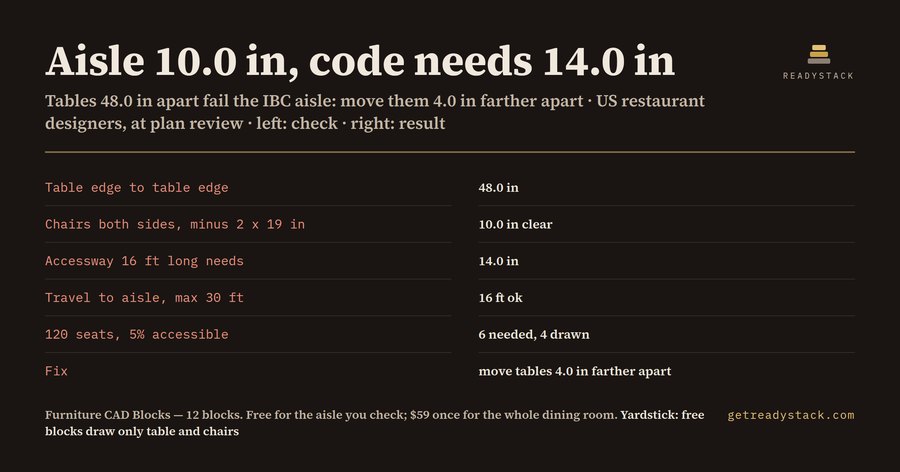 Furniture CAD blocks for restaurants: does your aisle pass?
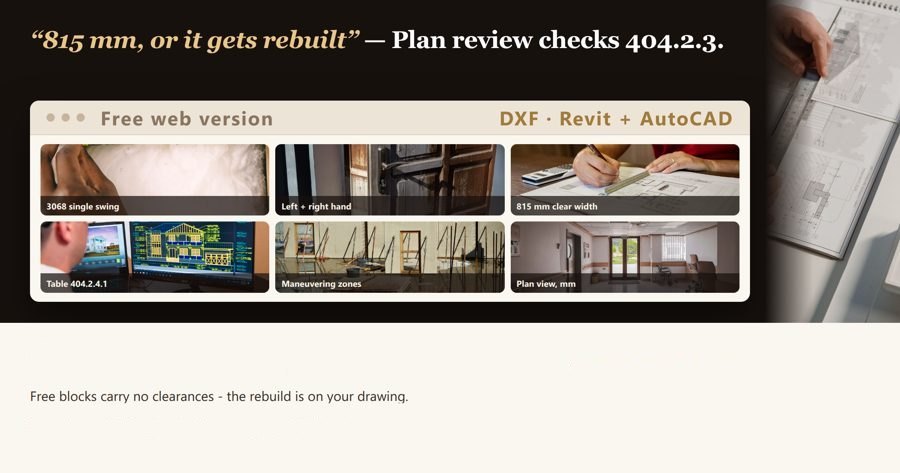 Revit Door Family Blocks - 14 ADA-Dimensioned US Commercial Doors (DXF, imports into Revit, AutoCAD and SketchUp)
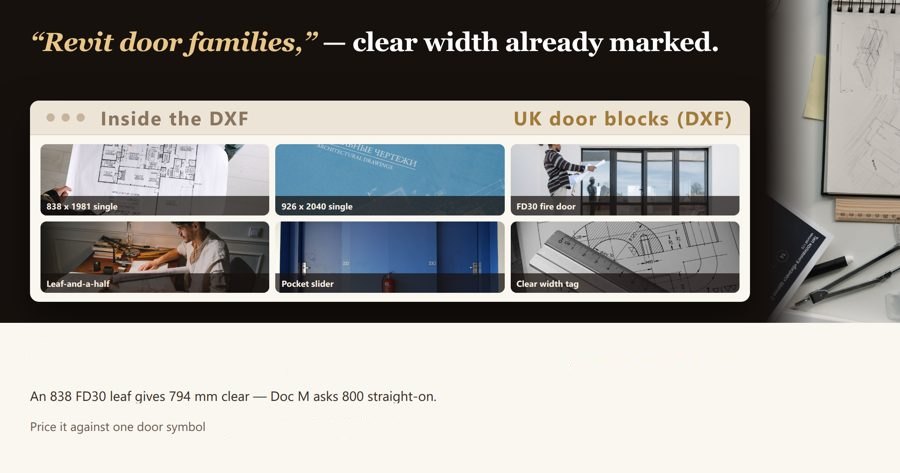 Revit Door Families - UK Door Block Library in mm: 14 doors on standard 838 x 1981 and 926 x 2040 leaves, effective clear width marked on every block (DXF - imports into Revit, AutoCAD, SketchUp)
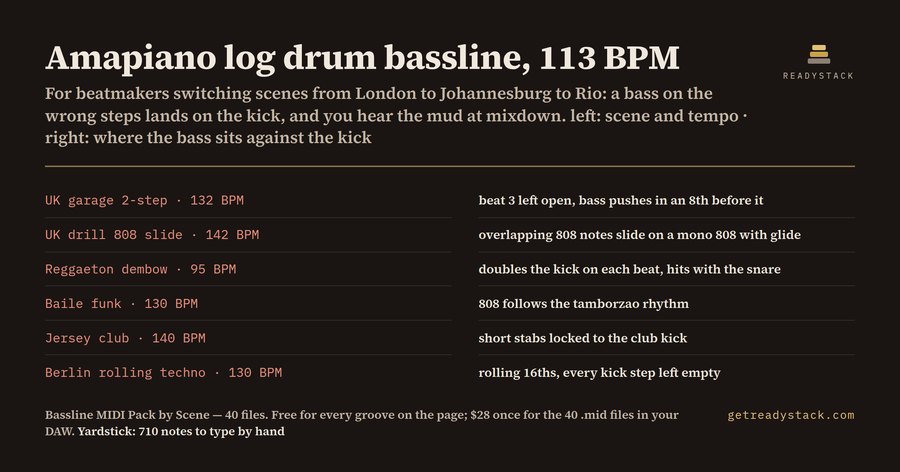 Bassline MIDI pack by scene: 40 grooves from 10 regional scenes