Real numbers from this tool, line by line.
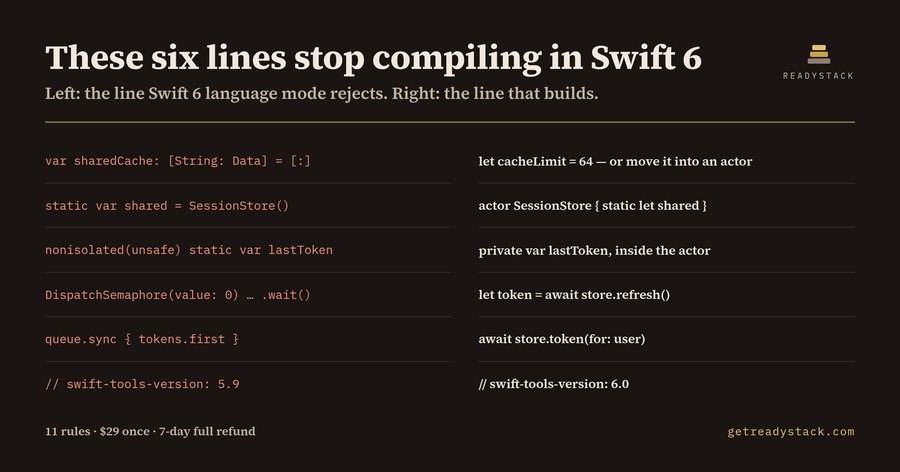
Eleven rules read a 47-line SessionStore.swift and returned thirteen findings, six of them build-blocking errors — six lines that compile today under Swift 5 and stop compiling the moment that target moves to Swift 6 language mode. The file is not exotic. It is the shape every iOS and macOS codebase has somewhere: a shared session store, a token cache, a completion handler, a queue used as a lock.
Here is what the six errors were. A top-level var sharedCache: [String: Data] = [:], which Swift 6 rejects because a mutable global is reachable from every isolation domain at once. A second top-level var requestCount = 0. A static var shared = SessionStore() — the singleton spelling that appears in almost every tutorial written before 2024. A nonisolated(unsafe) static var lastToken, which is the same global wearing an escape hatch. A DispatchSemaphore used to turn an async call back into a blocking one, which parks a cooperative-pool thread and can deadlock the pool. And, one line above all of it, // swift-tools-version: 5.9 — the line that decides whether the package can enter Swift 6 language mode at all.
That last one is the reason a chatbot cannot finish this job. You paste a Swift file and ask whether it is Swift 6 ready; the model answers about the file. It never sees Package.swift, so it cannot tell you that the answer is moot until the tools version moves to 6.0. The lint reads **/*.swift, and Package.swift is a .swift file.
The seven remaining findings were warnings and one note: @unchecked Sendable on the class, which silences the checker without removing the race; queue.sync { } around the token array, the Swift 5 locking pattern that the isolation checker cannot see; @escaping on a completion handler with no @Sendable, which fails at the call site as soon as it is called from another domain; Task.detached, which drops the surrounding actor isolation; DispatchQueue.main.async inside a file that already uses await; and @preconcurrency import Foundation, the shim that downgrades the module's own Sendable errors to warnings while you migrate.
Assistant-written Swift concentrates these. The public Swift corpus is mostly pre-concurrency, so the default draft is a static var shared with a serial queue and a completion handler — correct Swift 5, six errors in Swift 6. The code review that catches it is a line-by-line read of every file, which is exactly the work nobody schedules.
The rewritten version of the same file — an actor SessionStore, a Sendable struct for the token, static let shared, @MainActor on the view type, await instead of the semaphore — returns zero findings from the same eleven rules. Both files ship with the extension, so the numbers here can be reproduced.
Four rules are errors (global_var, static_var, dispatch_semaphore, tools_version_5), six are warnings, one is informational. Every finding carries a line number, the reason the compiler objects, and the replacement shape.
The free extension lints the files you open and names every blocker; that job finishes with no licence key, no watermark, no usage counter. The paid tier — every file ranked by blocking errors, committable, readable in CI. One hour of a contract iOS engineer, at the $100/hour rates common in the US market, costs more than that licence does once. The same engine also runs in a single browser page with nothing uploaded: https://getreadystack.com/tools/swift6-concurrency-lint
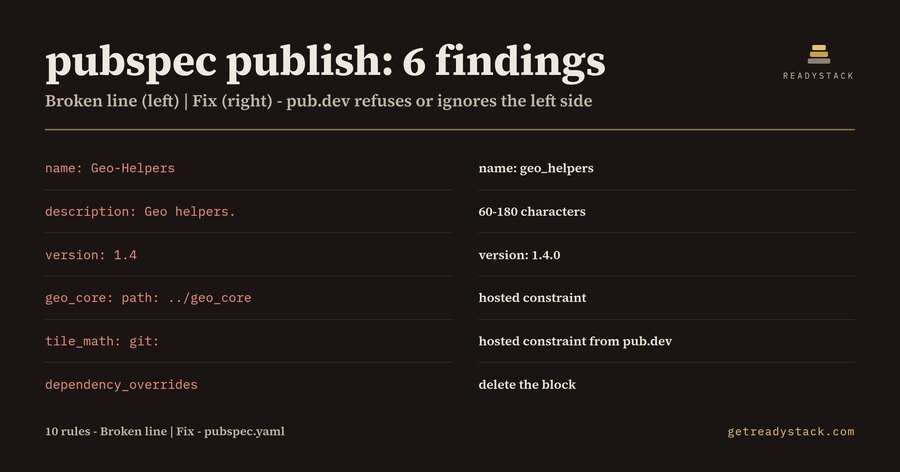 Pubspec Publish check — check your package before publishing
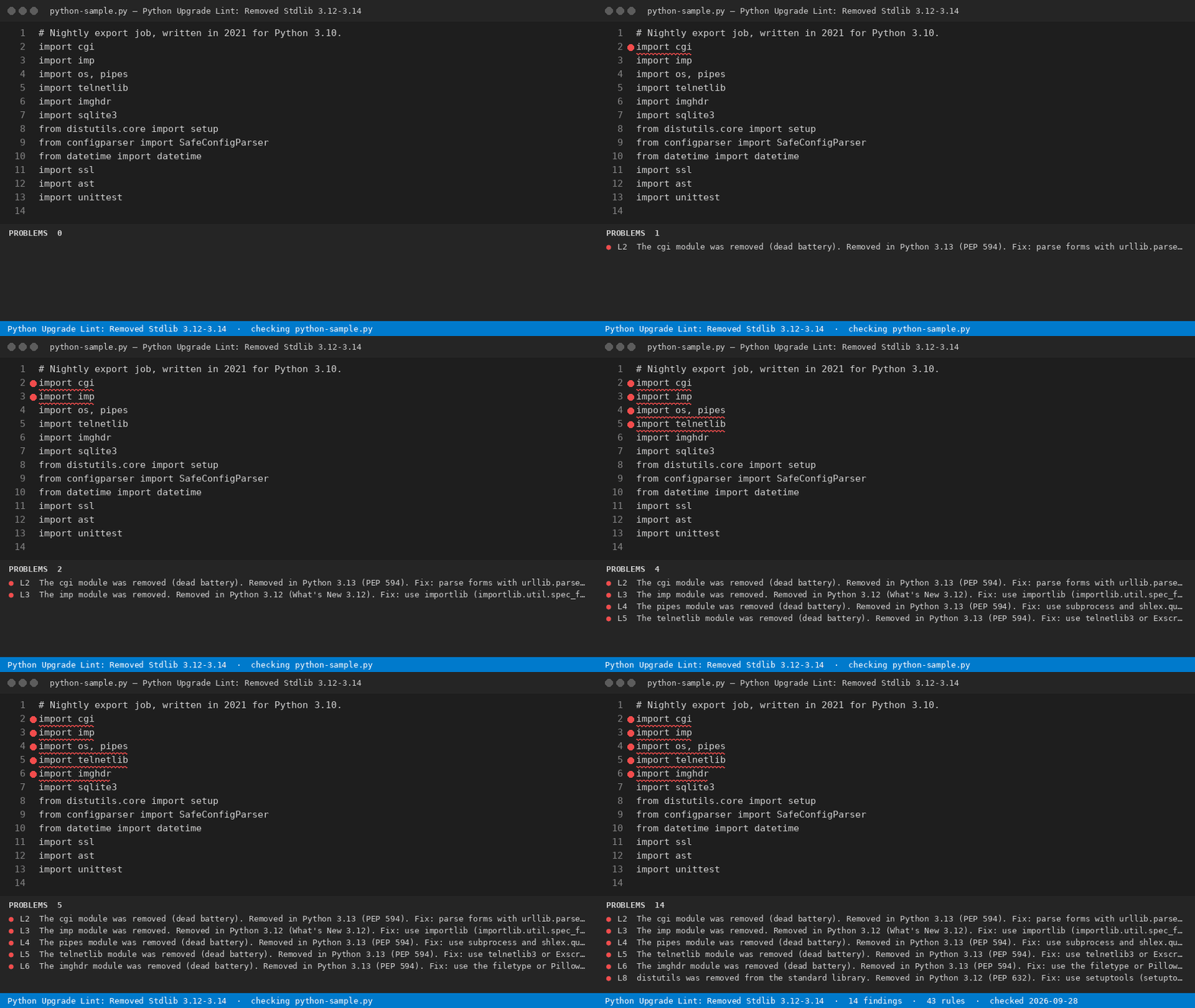 Python 3.12 Removed modules — check your python code free
 Letting agent enquiry form: Renters' Rights Act 2026 deposit and rent-in-advance check
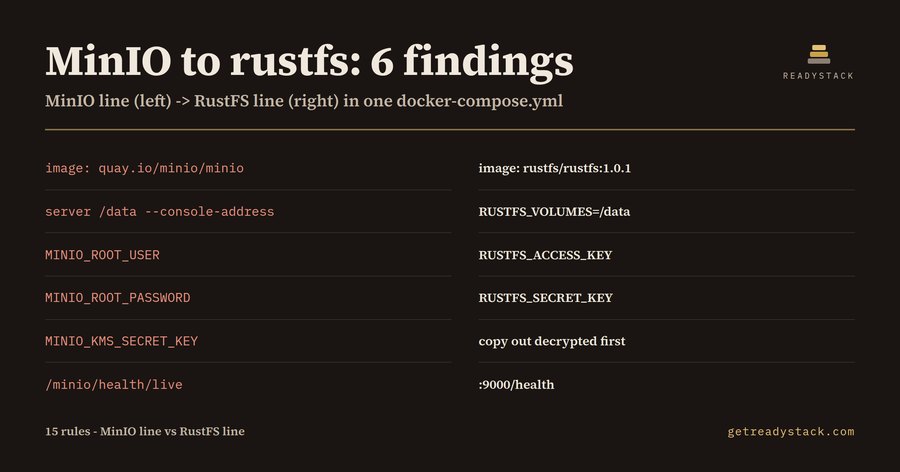 MinIO Migration — map minio settings to rustfs
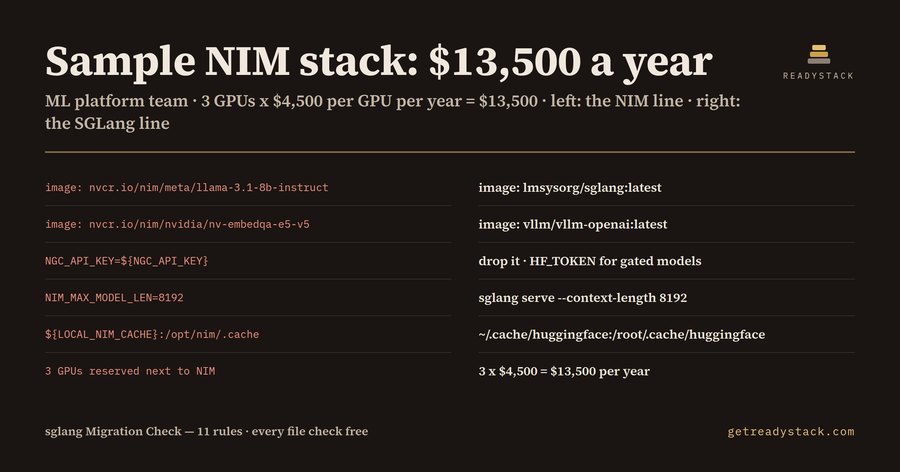 NVIDIA NIM Migration — find replacements in your files
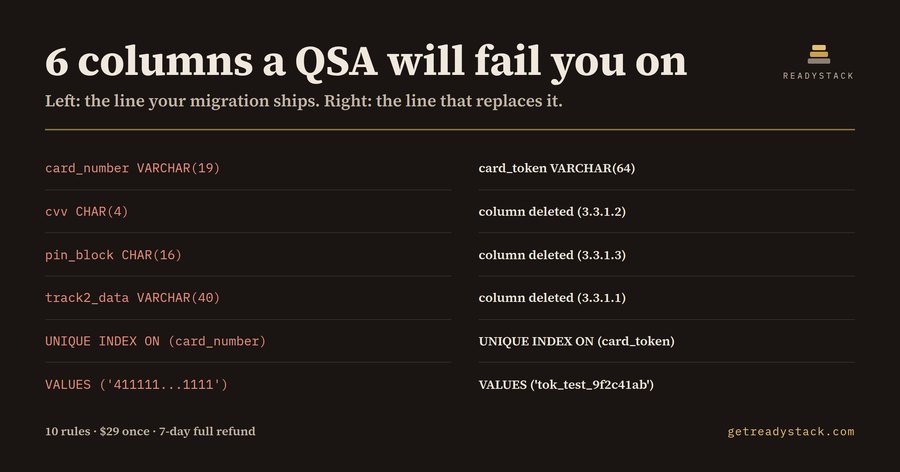 PCI DSS SQL Card Data — check card data in sql migrations