Longday · code theme for JetBrains IDEs, VS Code and 7 terminals & editors
Use the free versionUnlock the full version
Also on: Whop
Code theme for long sessions: no colour below 4.5:1 — even on the selection
Made-up example theme: its comments read at 2.66:1 on the background and drop to 1.75:1 when you select them — far under the 4.5:1 WCAG line. Longday measures every syntax colour on the background, the current line and the selection, and moves it until it passes all three.
- Lowest measured: 4.58:1 in Longday Night (comments 6.65:1 on the background) · 7.05:1 in the High Contrast variants — the full table is below.
- Installs from the JetBrains Marketplace in IntelliJ IDEA, PyCharm, WebStorm, GoLand, Rider and every IDE from 2024.2 — free Night + Day, no buy pop-ups, no font or size changes.
- A new month variant every month as a plugin update. Existing variants are never re-coloured, so the theme you are used to does not change under you.
Bundle (VS Code, terminals, Vim, JetBrains schemes): $54.99 once. JetBrains Pro variants: in the IDE, billed by JetBrains monthly or yearly. Night + Day: free.
1Check your own theme's contrast
Paste a VS Code theme (.json), a JetBrains colour scheme (.icls / .xml) or a Windows Terminal scheme. Every colour is measured on your background, current line and selection. Nothing leaves this browser.
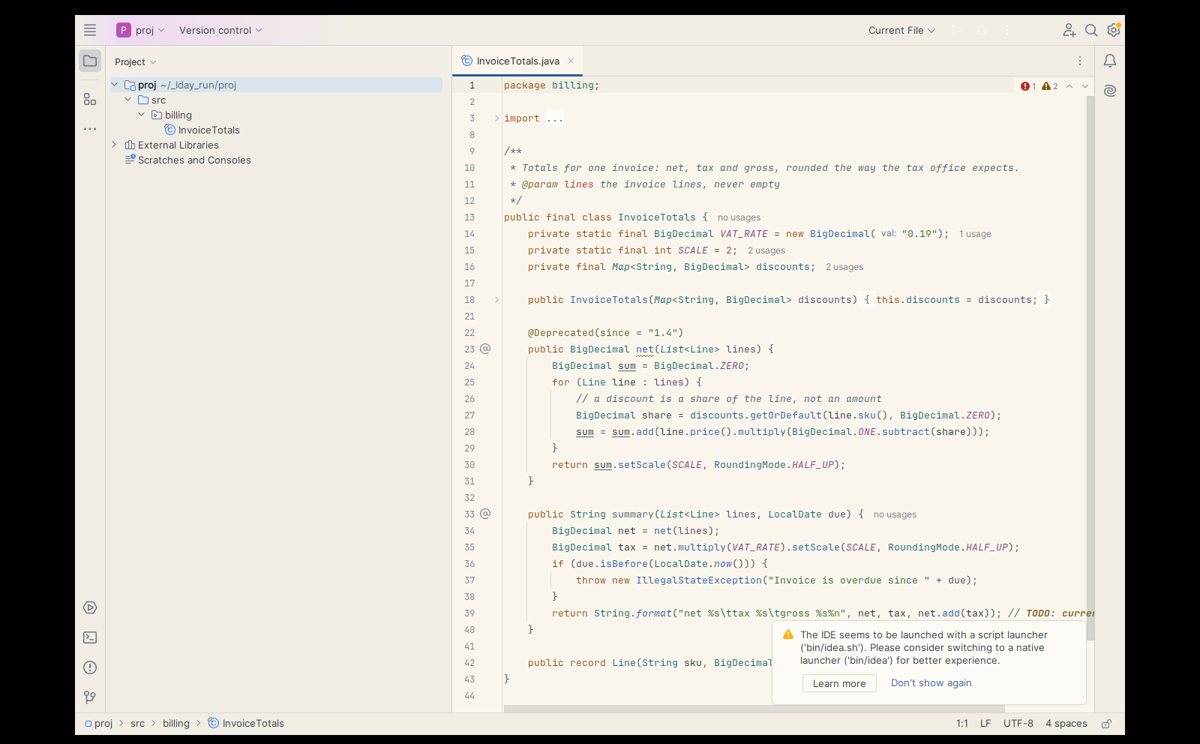
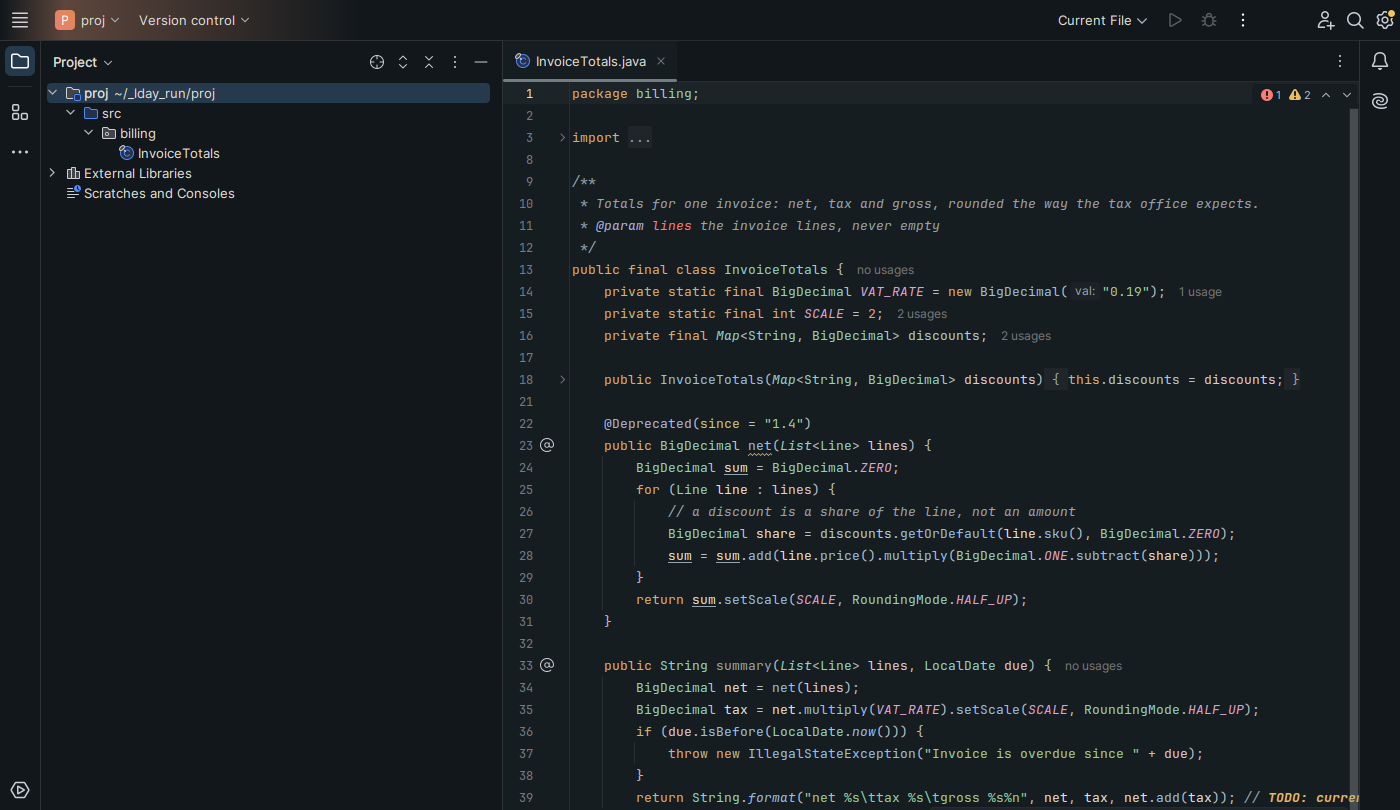
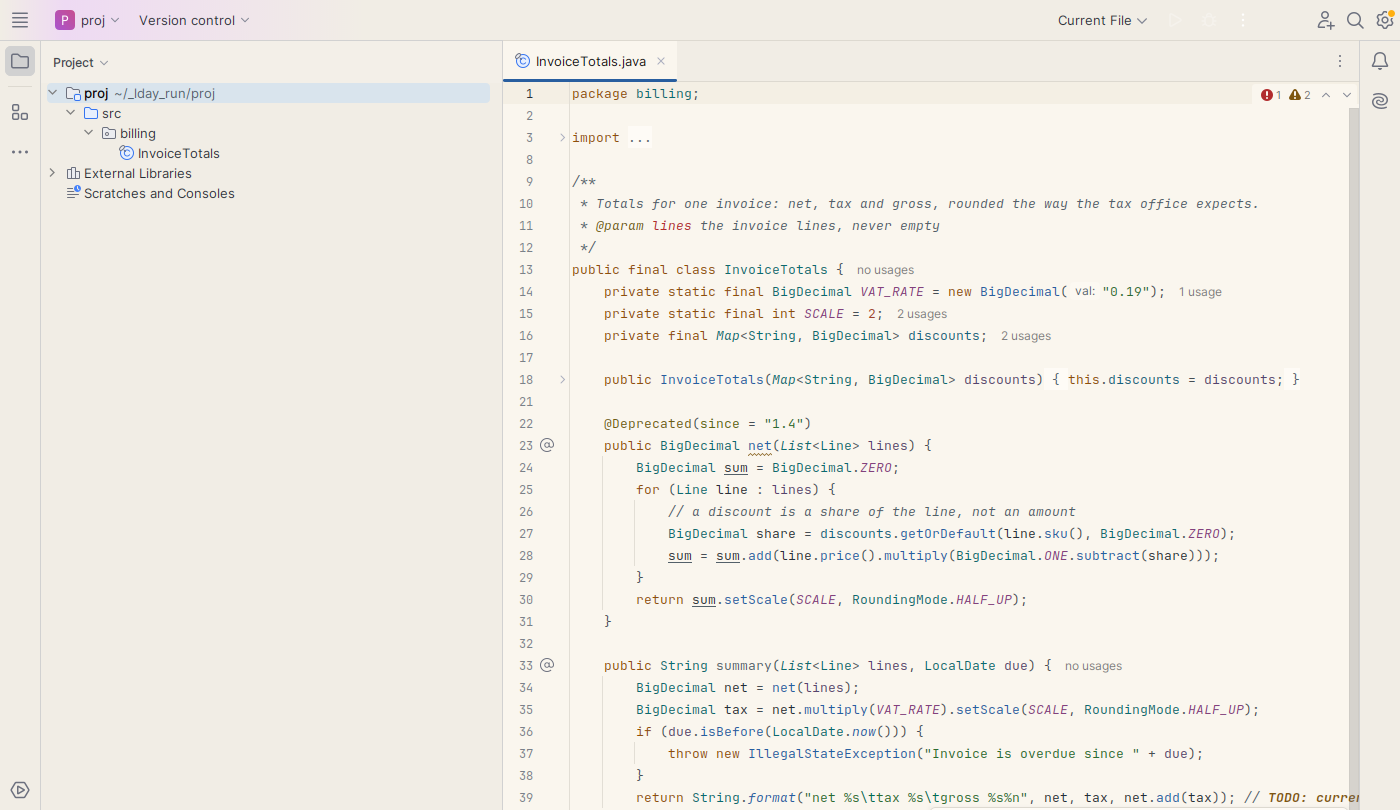
2Inside a real IDE — not a mock-up
IntelliJ IDEA Community 2024.2.4 with the Longday plugin installed, captured on our test machine on 2026-11-01. Nothing retouched.
3Measured contrast, every variant
WCAG 2.x contrast ratio of each colour on the three surfaces text sits on. Our build re-measures the shipped files on every release (4,593 checks) and refuses a release with one colour under its target.
4Free, Pro and the bundle
Free — forever
- Longday Night + Longday Day for every JetBrains IDE (UI theme + editor scheme)
- Console, diff, VCS, search and inlay hints coloured too
- No prompts, no telemetry, no network calls
In the IDE: Settings › Plugins › Marketplace › search “Longday Code Theme”.
JetBrains Pro
- Night High Contrast and Day High Contrast (every colour ≥ 7:1)
- Dusk — warm evening variant, no blue or cyan accents
- Colorblind — checked under deuteranopia and protanopia simulation
- The month variant, and a new one each month
Bought inside the IDE (Help › Register), billed by JetBrains. After 12 paid months JetBrains' perpetual fallback licence keeps the version you had.
Bundle — one payment
$54.99 once
- Every variant for VS Code (also Cursor, VSCodium, Windsurf)
- Windows Terminal · iTerm2 · Alacritty · kitty · WezTerm · Ghostty
- Vim / Neovim colour schemes
- JetBrains .icls editor schemes (import without the plugin)
- New month variants are added to your download
Already bought? Your download
5Questions
Will it change my font, font size or toolbar?
No. Longday sets colours only. The UI themes contain colour values only and the editor schemes set no font or size — our build checks both on every release.
What happens if I pick a Pro variant without a licence?
The IDE switches to its free twin (Longday Night or Longday Day) and says so once in a balloon. While you use Night or Day you never see a prompt.
Which IDEs?
Every IntelliJ-platform IDE from 2024.2: IntelliJ IDEA, PyCharm, WebStorm, GoLand, PhpStorm, Rider, CLion, RubyMine, RustRover, DataGrip, Android Studio. Checked with JetBrains Plugin Verifier and booted in IntelliJ IDEA 2024.2.4.
Is the palette a copy of a popular theme?
No. It is designed in OKLCH for this product; our tests measure the distance of every accent colour from well-known palettes and refuse a look-alike.
How do I install the bundle files?
The zip has an INSTALL.md with one line per app: VS Code “Install from VSIX…”, iTerm2 “Import…”, an include line for Alacritty, kitty, WezTerm and Ghostty, Vim's colors folder.