Real numbers from this tool, line by line.
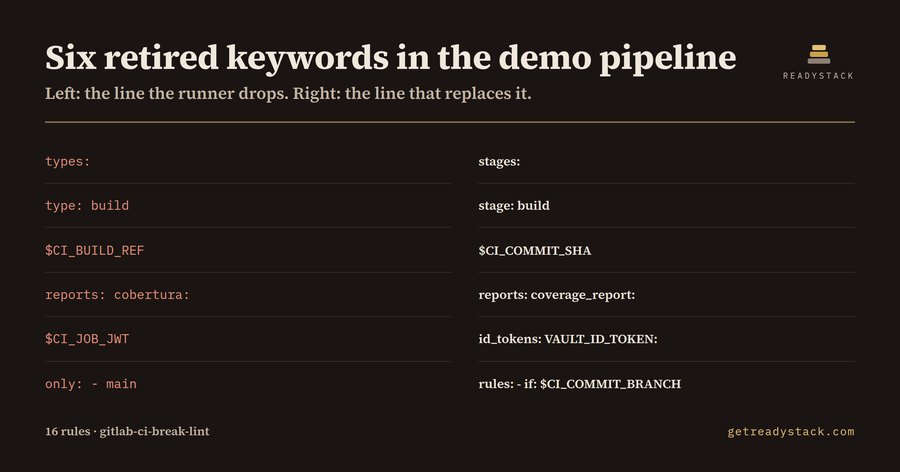
Six retired keywords in a 31-line .gitlab-ci.yml — that is what a DevOps engineer on self-managed GitLab gets back from a pipeline file an AI assistant drafted for them. The file is not broken. It runs green today. It stops running the day the instance crosses a major upgrade.
That gap is the whole problem. GitLab removes CI keywords only in major releases, so a retired keyword lives in your repository for months in perfect health. Your runner accepts it. GitLab's own CI Lint accepts it, because CI Lint validates the file against the version your instance is running right now — the version where the keyword still works. Nothing in the loop is looking at the version you are about to move to.
Here is the bundled dirty fixture, 31 lines, and the six lines that will not survive:
| Line in the file | What replaces it |
|---|
types: | stages: |
type: build | stage: build |
$CI_BUILD_REF | $CI_COMMIT_SHA |
reports: cobertura: | reports: coverage_report: |
$CI_JOB_JWT | id_tokens: VAULT_ID_TOKEN: |
only: - main | rules: - if: $CI_COMMIT_BRANCH |
Six findings, six line numbers, six replacement lines. The same pipeline rewritten the way GitLab accepts it returns nothing.
Where these lines come from
Two places, and neither of them is carelessness.
The first is age. A pipeline written years ago picked up types: and CI_BUILD_REF when those were the documented keywords. Nobody rewrites a working pipeline. It gets copied into the next repository instead, and the removal notice lands in a release post nobody reads, because nothing was failing.
The second is newer. Ask an assistant for "a CI pipeline that builds and tests this repo" and you get whichever CI syntax it saw most, usually GitHub Actions. That is how runs-on:, steps:, - uses: and ${{ }} expressions end up in a file called .gitlab-ci.yml. GitLab does not reject the one bad line — it rejects the whole file, so the pipeline never starts.
What the linter checks
Sixteen rules, in three groups.
Keywords GitLab retired. types: and type:, the whole CI_BUILD_* variable family, artifacts:reports:cobertura, CI_JOB_JWT and its _V1 / _V2 siblings, and only: / except:. Each reports with its line number and replacement: artifacts:reports:cobertura becomes artifacts:reports:coverage_report with coverage_format: cobertura.
GitHub Actions syntax in a GitLab file. runs-on:, steps:, - uses:, ${{ ... }}, and a top-level on: or jobs: mapping.
Job wiring GitLab will not accept. rules: and only: in the same job, a stage: that is missing from stages:, a needs: or extends: that points at a job or key which does not exist, start_in: without when: delayed, parallel: outside the 2–200 range, and a job with no script:, trigger: or extends:.
Free, and what a key buys
Free, in the editor or in the browser, with no key and no account: lint the pipeline file you have open. All sixteen rules, every line number, every replacement line. When the report is empty, that file is done — the whole job for one file, not a sample.
The licence key changes the scope, not the checks. It scans every pipeline file in the repository in one pass and exports a dated Markdown upgrade report — file, line, keyword, replacement — as a single table you attach to the change ticket, so the upgrade window has an artefact instead of a promise.
A freelance DevOps engineer's hour runs about $100, and reading one repository's pipelines by hand against a removals list is most of a morning.
 Google Maps Platform pricing: OpenLayers migration check
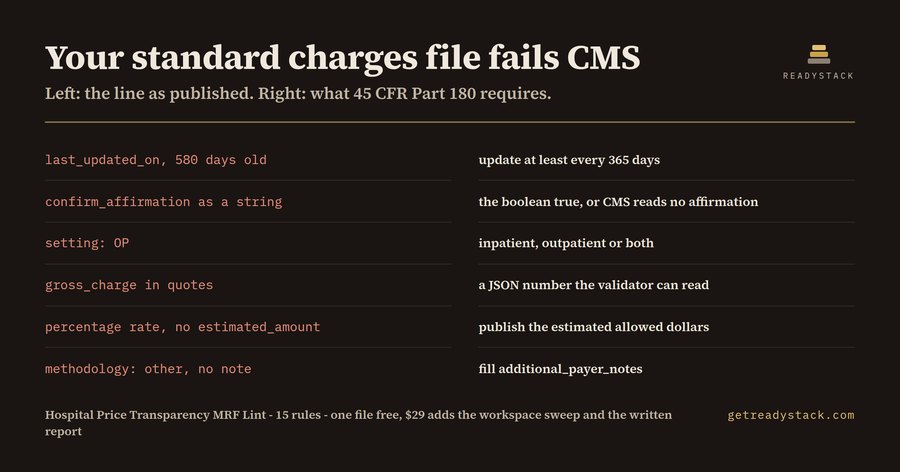 CMS Price Transparency rules — check your hospital price file online
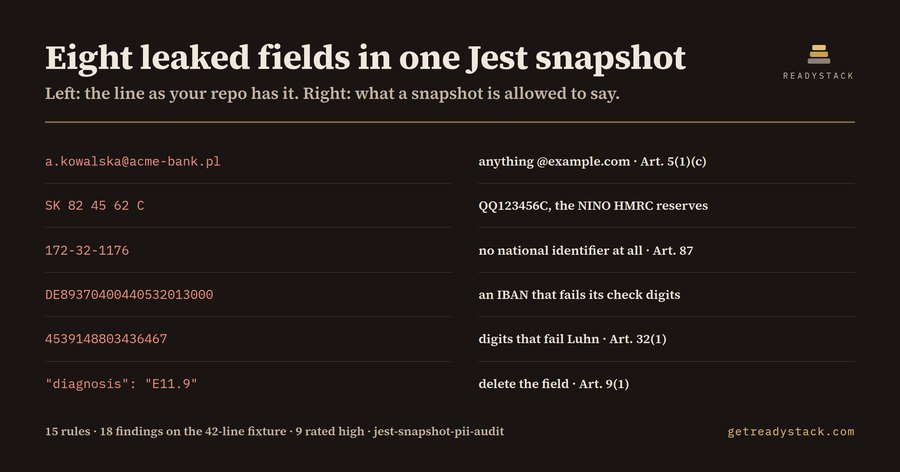 Jest Snapshot PII check — find sensitive data in snapshots
 Linker Map Auditor
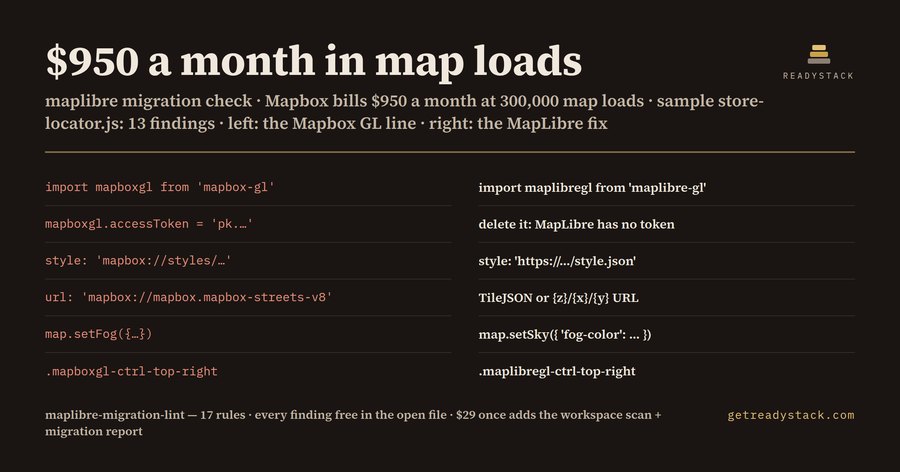 Mapbox Migration 2026 — check your code for free