Daily journal template: your 2026 trip at the right IRS rate
For US self-employed drivers who file Schedule C. In 2026 the IRS business rate changed on July 1: 72.5 cents a mile through 2026-06-30, 76 cents from 2026-07-01 (Announcement 2026-11). Type one trip and get the deduction plus a daily note for Obsidian.
Deduction for this trip
| IRS rate on this date | 76 cents a mile |
| Rule | Announcement 2026-11 (from 2026-07-01) |
| Same miles at the other 2026 rate | $27.55 |
| Difference | $1.33 |
A one-rate spreadsheet would price this July trip at 72.5 cents.
Daily note for Obsidian (paste into a new note named after the date):
Full version — $29.90 once: the themed vault that adds every daily note to a 2026 mileage log
Why one trip is not enough
The IRS wants a written record made at or near the time: date, business miles, destination and purpose for every trip, plus total miles for the year. Schedule C, Part IV asks if your evidence is written. This page checks one trip. It does not keep the record.
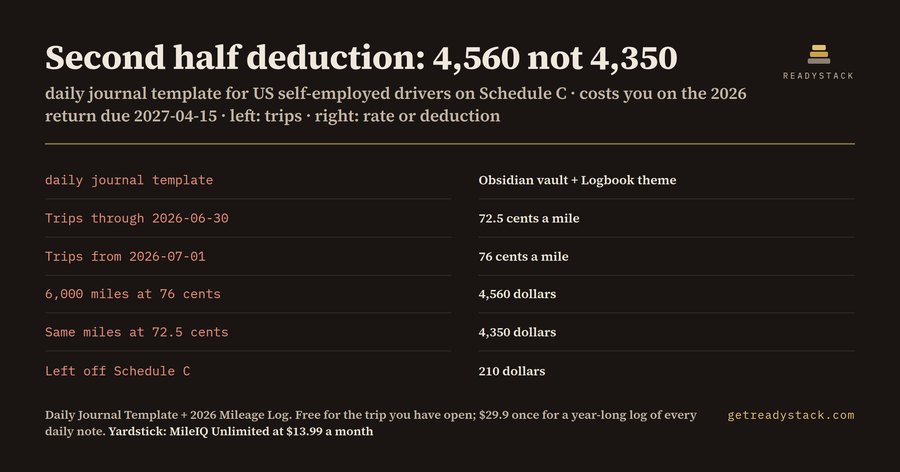
The paid vault does: every daily note with miles above 0 lands in Mileage 2026.base, which has one table for the first half (72.5 cents) and one for the second half (76 cents), each with a sum. Worked example from the vault: 6,000 business miles driven July to December 2026 come to 4,560 dollars at 76 cents; at 72.5 cents they would be 4,350 dollars, so 210 dollars would be left off Schedule C.
- 13 files: 9 notes, 3 templates (Daily note, Weekly review, Monthly close), 1 Bases file with 3 views
- Logbook theme, light and dark, plus 3 snippets (focus-width, mileage-properties, bases-zebra)
- Core Obsidian only: Daily notes, Templates, Properties, Bases. No community plugins.
Mileage apps bill monthly (MileIQ Unlimited listed at $13.99 a month, June 2026 pricing review). This is one payment, not a subscription, and you can check your own trip above before you pay.
Logbook theme: measured contrast
Muted text 6.72:1
Accent 7.66:1
Sidebar text 11.86:1
Muted text 5.39:1
Accent 5.11:1
Sidebar text 12.19:1
Targets: 4.5:1 for body and sidebar text, 3:1 for muted text and accent, in both modes.
Install the vault
- Unzip the download.
- In Obsidian choose Open folder as vault and pick the unzipped folder. It opens with Logbook already on.
- To use it inside an existing vault, copy the folder into that vault, then copy
.obsidian/themes/Logbookand.obsidian/snippetsinto your vault's.obsidianfolder.
Menu names can differ slightly by Obsidian version and interface language. No community plugins are needed.