Updated:
Employee Schedule Template Excel, Weekly & Monthly
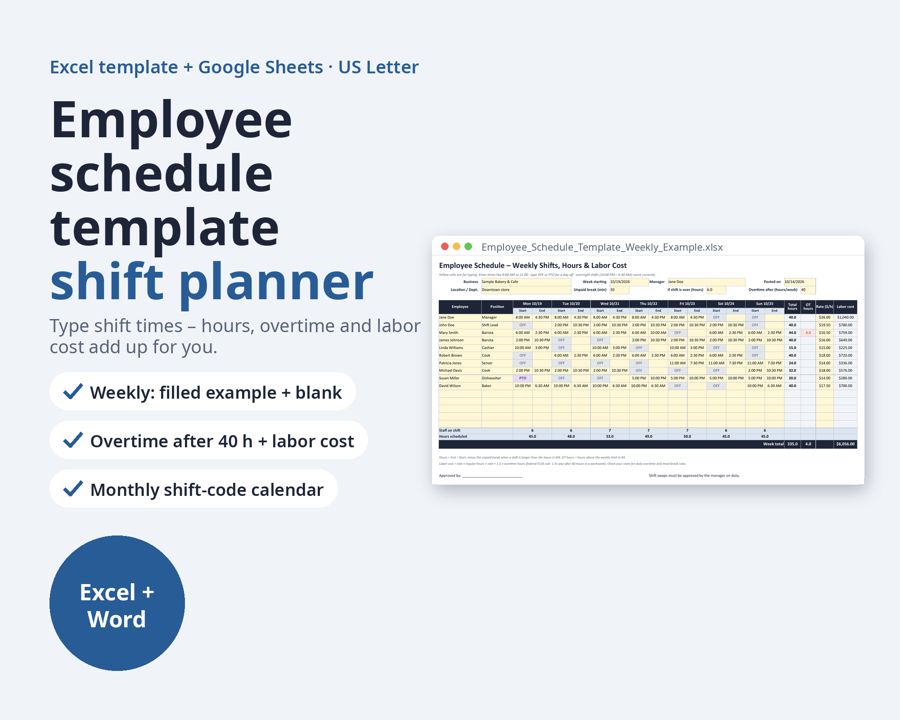
An employee schedule template for Excel and Google Sheets: type each shift's start and end time, and total hours, overtime and labor cost calculate for you.
Preview
What's inside
- Employee_Availability_and_Time_Off_Request_Form.docx
- Employee_Schedule_Template_Monthly_Shift_Calendar.xlsx
- Employee_Schedule_Template_Weekly_Blank.xlsx
- Employee_Schedule_Template_Weekly_Example.xlsx
What's included:
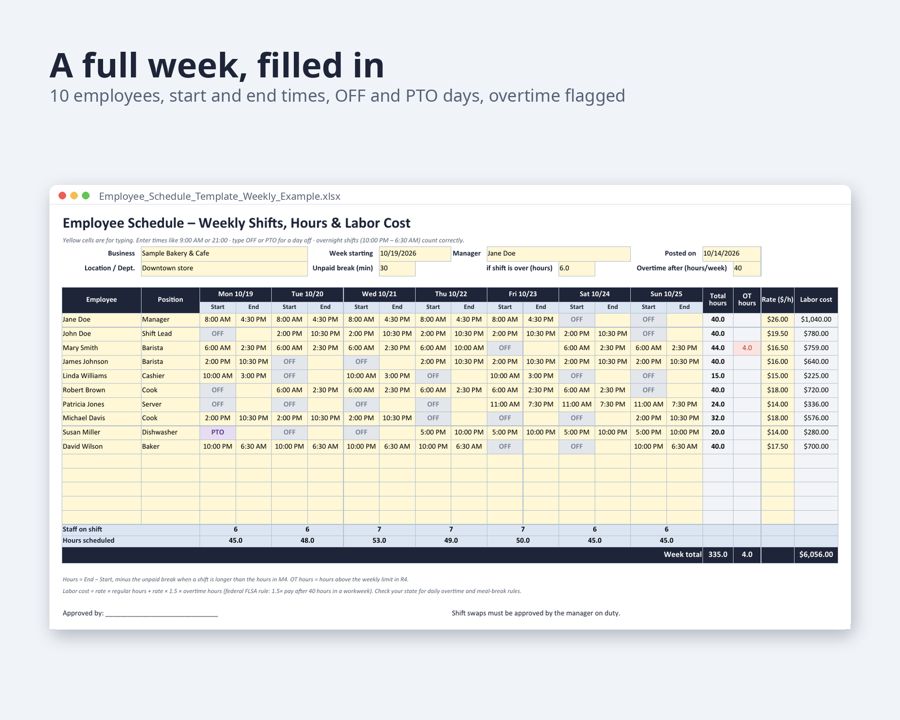
- Weekly employee schedule, filled-in example (Excel): start and end time for every day, OFF and PTO days shaded, total hours, overtime hours and labor cost per person, staff on shift per day, week total
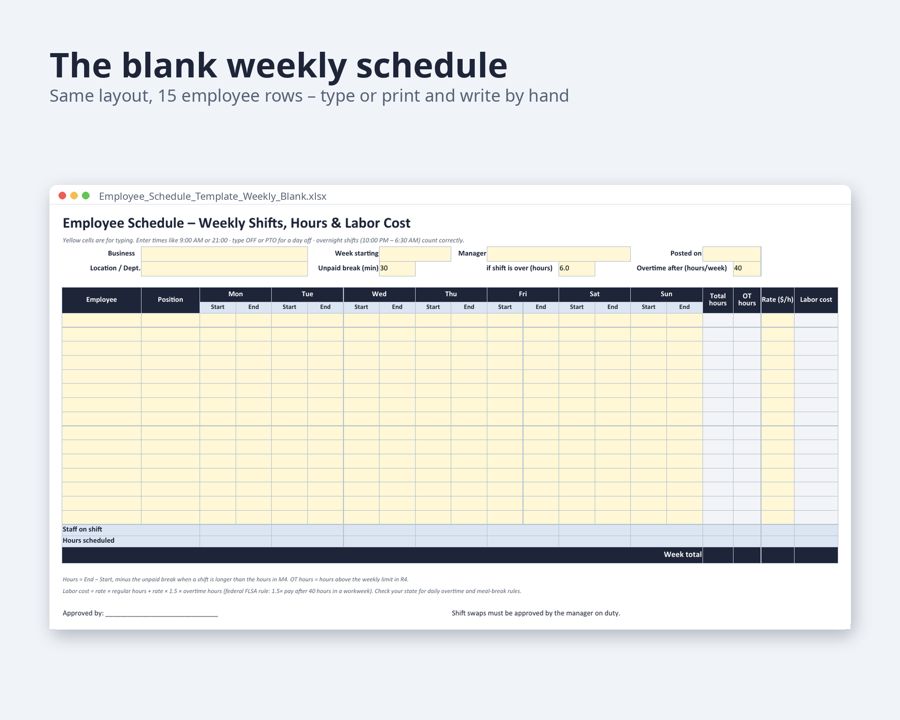
- The same weekly schedule, blank: 15 employee rows to type in or print
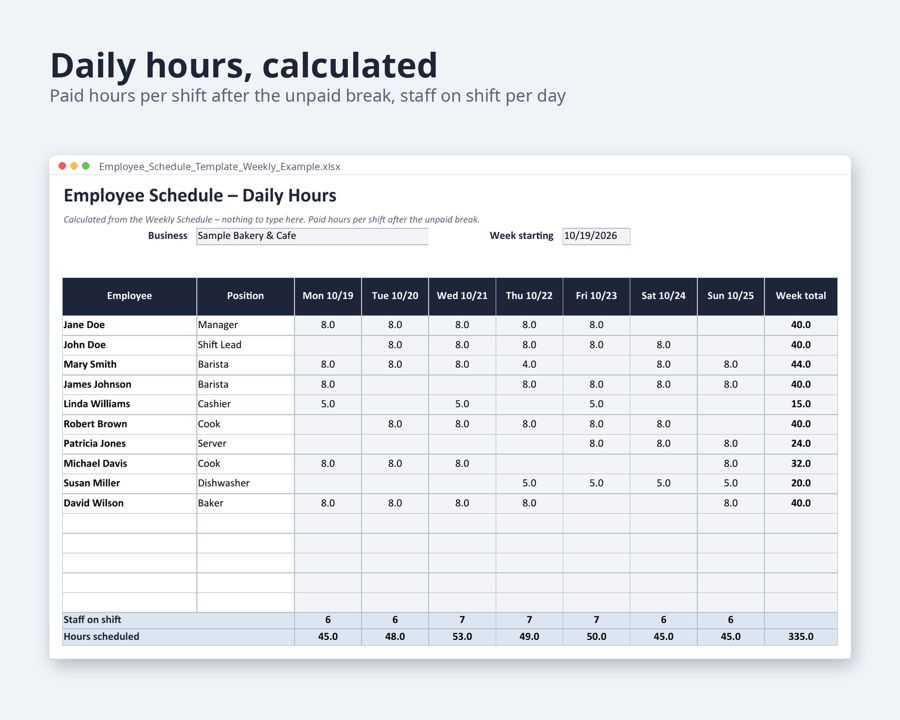
- Daily hours sheet: paid hours per shift after the unpaid break
- Monthly shift calendar (Excel): one color-coded shift code per day from a drop-down (Opening, Mid, Closing, Overnight, OFF, PTO …), with hours, shifts and days off per employee. Example month + blank month
- Employee availability form + time-off request form (Word, 2 pages)
Who it's for: managers of restaurants, cafes, retail stores, salons, clinics and any small business that plans shifts.
How it works: set the unpaid break, the shift length it applies to and the weekly overtime limit once (preset to 30 minutes, 6 hours and 40 hours). Overnight shifts count correctly. Labor cost uses 1.5 times the rate for hours over 40 in a workweek (federal FLSA rule); check your state for daily overtime and meal-break rules.
How to edit: Microsoft Excel, Google Sheets or LibreOffice Calc for the schedules; Word, Google Docs or LibreOffice for the forms.
Format: US Letter landscape, set to print one page wide (also prints on A4). Files: .xlsx and .docx.
- Fill-in guide in every file: a “Fill in with AI” chapter with ready-made sentences for an AI chat assistant, matched to the template’s fields
Need more than this one? ReadyStack Pass opens all 517 files and 478 full versions — $29/month or $199/year. See the Pass →
A template you fill in yourself — not legal or tax advice.