Updated:
Simple Notion Weekly Planner with Quick Capture Inbox
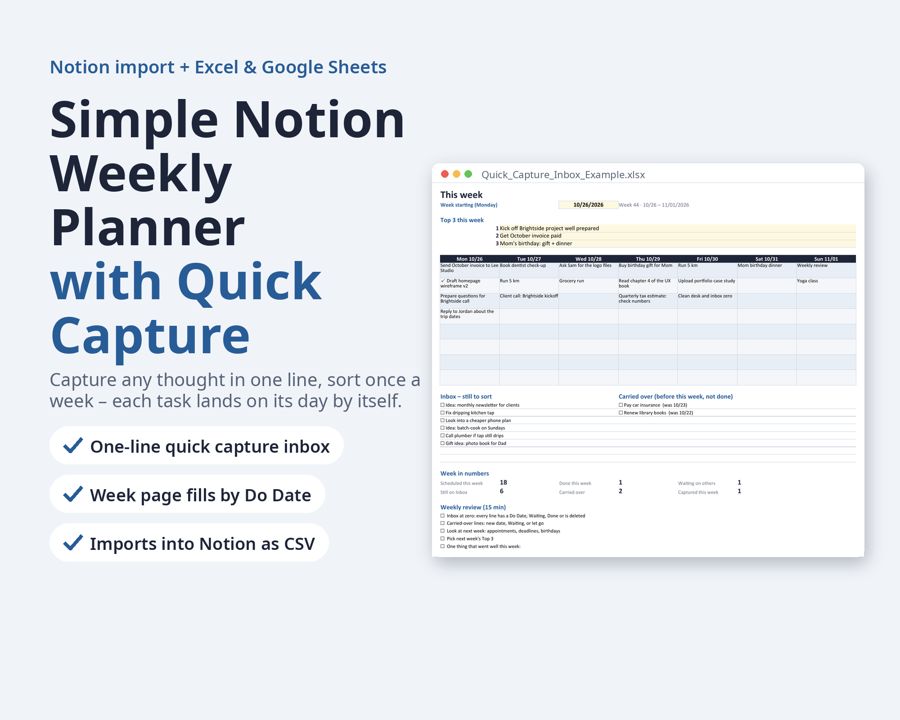
A simple weekly planner with a quick capture inbox: write any thought in one line, sort it once a week, and every task lands on its day by itself. Use it in Excel or Google Sheets, print it, or import it into Notion.
Preview
What's inside
- Quick_Capture_Inbox_Blank.xlsx
- Quick_Capture_Inbox_Example.xlsx
- Weekly_Planner_Blank.docx
- Weekly_Planner_Example.docx
What is inside:
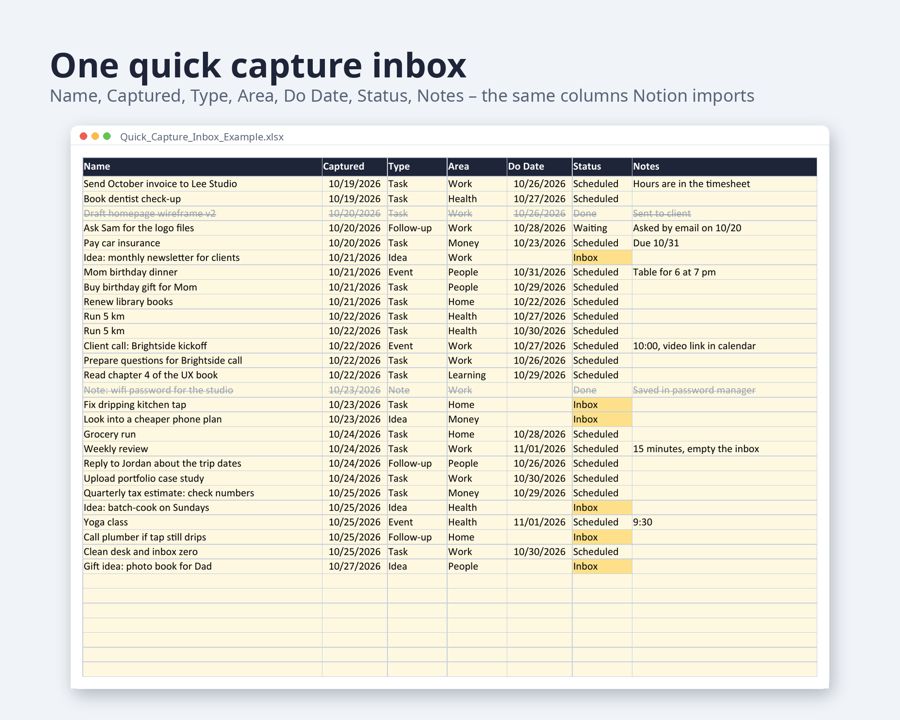
- Quick Capture Inbox (Excel / Google Sheets): Name, Captured, Type, Area, Do Date, Status, Notes, with drop-down lists
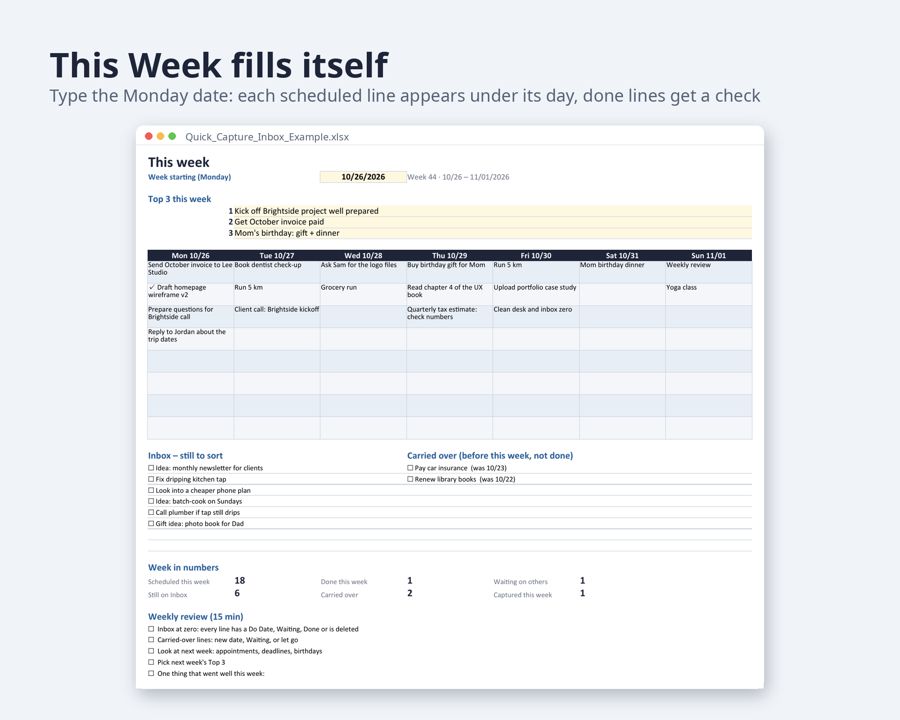
- This Week board: type the Monday date and each scheduled line appears under its day; done lines get a check mark
- Inbox still to sort, carried-over lines from last week, and the week in numbers
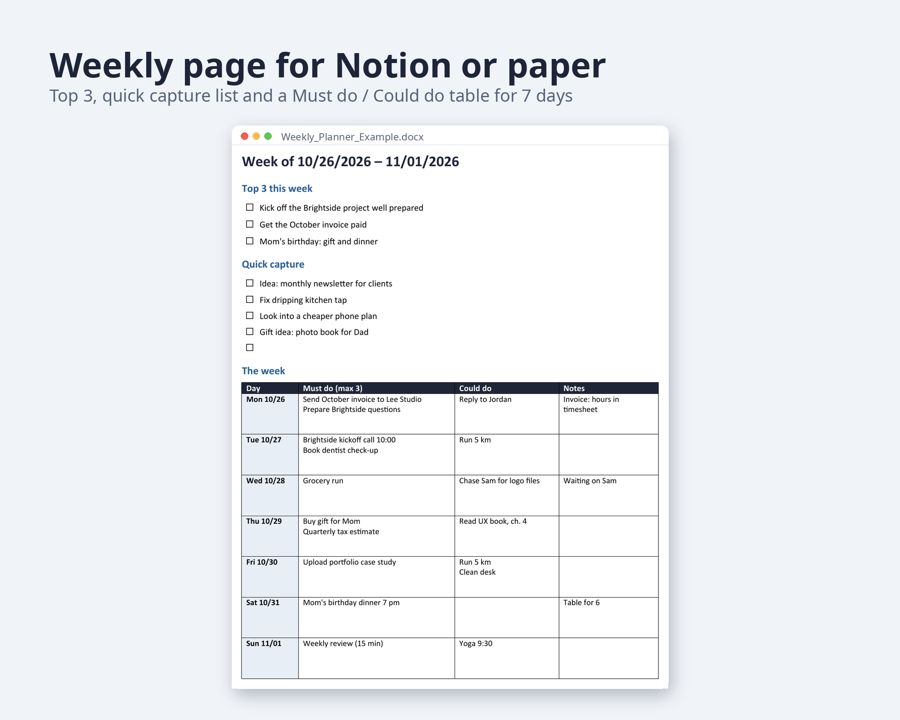
- Weekly page (Word): Top 3, quick capture list, Must do / Could do table from Monday to Sunday
- End-of-week checklist (15 minutes) and 6 areas: Work, Home, Health, Money, People, Learning
- A filled example week and a blank version of each file
Who it is for: anyone who tried big Notion dashboards and stopped using them. Two parts, one Start Here page, nothing to set up.
How it works with Notion: there is no Notion share link. You import the files yourself. Settings > Import > Word turns the weekly page into a Notion page. Save the Inbox sheet as CSV, then Settings > Import > CSV turns it into a Notion database; dates are already in the MM/DD/YYYY form Notion reads. Step-by-step notes are in both files.
Edit with: Excel, Google Sheets or LibreOffice (.xlsx), Word, Google Docs or Notion import (.docx). No macros, nothing locked.
Format: US Letter, each page prints on one sheet. 2 Excel files + 2 Word files.
- Fill-in guide in every file: a “Fill in with AI” chapter with ready-made sentences for an AI chat assistant, matched to the template’s fields
Need more than this one? ReadyStack Pass opens all 564 files and 504 full versions — $29/month or $199/year. See the Pass →
A template you fill in yourself — not legal or tax advice.